About Project IGI: I'm Going In
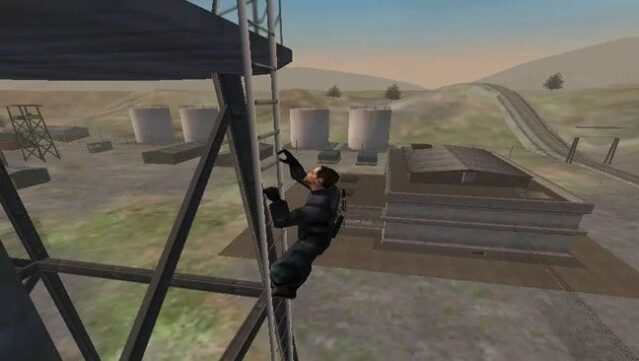
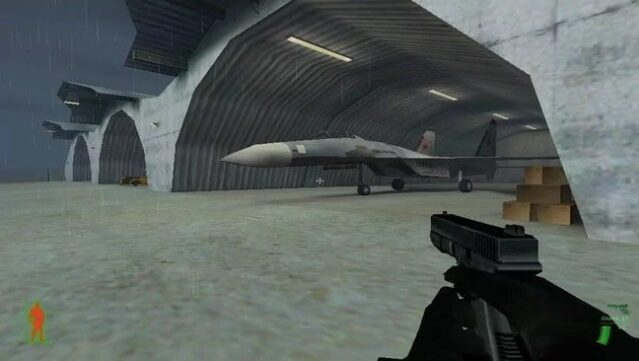
This tactical first-person shooter delivers a blend of strategy and intense action that keeps players on their toes. Set in expansive outdoor environments, you step into the boots of David Jones, a former SAS operative tasked with thwarting a rogue warlord's plans for global chaos. What sets this game apart is its emphasis on realism; there are no health regenerations or checkpoints, meaning every decision and movement carries weight. Players must rely on stealth and tactical planning to navigate through missions, making each encounter feel significant. If you appreciate classic military shooters that challenge your skills and wits, this one is definitely worth your time.
Instructions
- Click the Download button below and you will be redirected to UploadHaven.
- Wait 5 seconds and click on the blue ‘download now’ button. We recommend using a download manager for faster download speeds. (You can use FDM which is free here, or any other download manager).
- Once the game is finished downloading, right click the .zip file and click on “Extract to Project IGI: I'm Going In.zip” (To do this you will need 7-Zip, which you can get here, or you can use the built in windows extractor).
- Double click inside the Project IGI: I'm Going In folder and run the setup application. Accept the EULA, and install the game. Then, launch the game through the desktop shortcut.
Project IGI: I’m Going In Free Download
Project IGI: I'm Going In
Size: 257.00 MB
Reminder: This download is completely free and won't cost you a penny. However, If you love the game and want to purchase it, you can support the developers by doing so here.
System Requirements
- OS: Windows 98 / ME / 2000 / XP
- Processor: Pentium II or equivalent
- Memory: 256 MB RAM
- Graphics: 128 MB DirectX-compatible GPU
- Storage: 300 MB available space
Screenshots