About Resprite
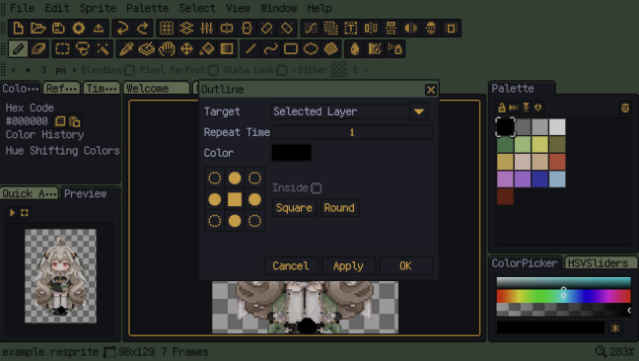
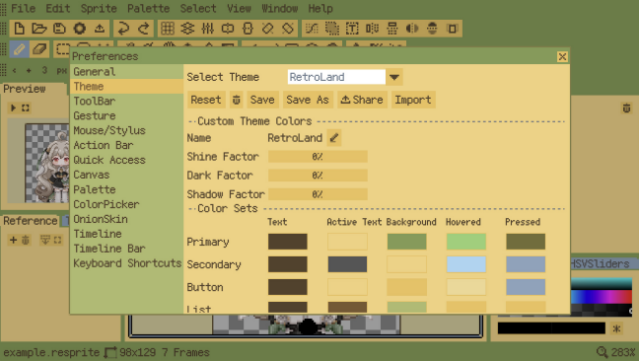
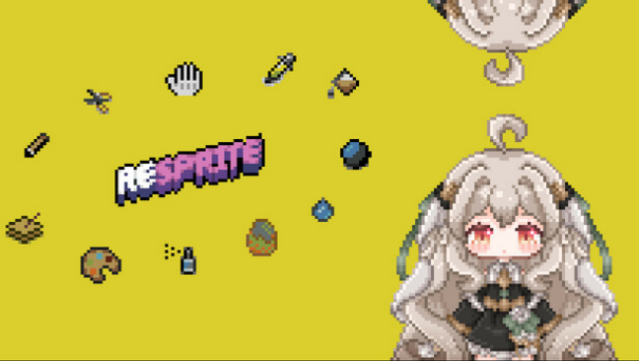
Dive into the world of pixel art creation with a unique tool that empowers you to craft game assets and animations like a pro. This pixel art editor offers a flexible user interface that lets you customize the layout and themes to fit your workflow, ensuring a comfortable editing experience. With a robust timeline feature, you can hone in on specific animation clips and manipulate layer properties, making it easier to create intricate animations. Additionally, the free-position color palette allows for seamless arrangement of colors, complete with interpolation for smooth transitions. Whether you're a seasoned pixel artist or just starting out, this software caters to your creative ambitions and is perfect for anyone interested in game design or digital art.
Instructions
- Click the Download button below and you will be redirected to UploadHaven.
- Wait 5 seconds and click on the blue ‘download now’ button. We recommend using a download manager for faster download speeds. (You can use FDM which is free here, or any other download manager).
- Once the game is finished downloading, right click the .zip file and click on “Extract to Resprite.zip” (To do this you will need 7-Zip, which you can get here, or you can use the built in windows extractor).
- Double click inside the Resprite folder and run the setup application. Accept the EULA, and install the game. Then, launch the game through the desktop shortcut.
Resprite Free Download
Reminder: This download is completely free and won't cost you a penny. However, If you love the game and want to purchase it, you can support the developers by doing so here.
System Requirements
- Requires a 64-bit processor and operating system
- OS: 10
- Processor: i3
- Memory: 2 GB RAM
- Graphics: 1050
- Storage: 10 GB available space
Screenshots