About Chevalier Historie
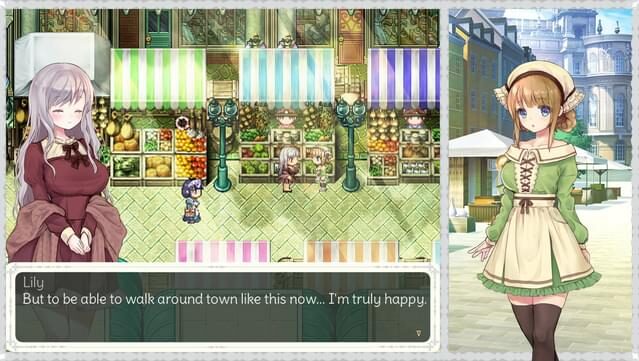
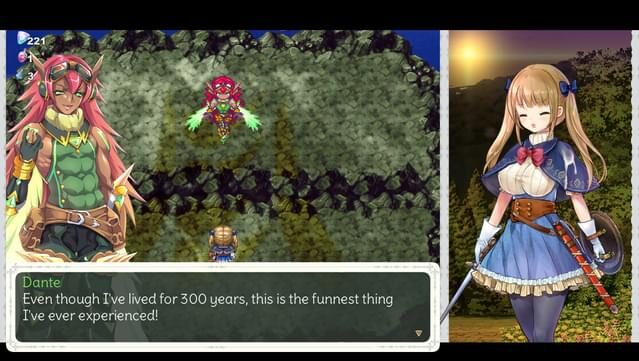
This action RPG introduces you to Jeanne, the pioneering female knight of the Kingdom of Berde, on an epic quest to rescue Princess Lily. Players navigate through an array of diverse dungeons, each teeming with unique foes and bosses that challenge your combat skills. The gameplay loop involves battling through these intricate environments while collecting various items that grant special moves and magical abilities.
One of the standout features is the blend of strategic combat, as you must learn enemy patterns to succeed, and the dynamic quest to revive the four spirits of Berde, which adds depth to the narrative. Your choices ultimately shape the fate of both Jeanne and the princess. If you enjoy engaging action RPGs with strong narratives and challenging gameplay, this title is definitely worth checking out.

Instructions
- Click the Download button below and you will be redirected to UploadHaven.
- Wait 5 seconds and click on the blue ‘download now’ button. We recommend using a download manager for faster download speeds. (You can use FDM which is free here, or any other download manager).
- Once the game is finished downloading, right click the .zip file and click on “Extract to Chevalier Historie .zip” (To do this you will need 7-Zip, which you can get here, or you can use the built in windows extractor).
- Double click inside the Chevalier Historie folder and run the setup application. Accept the EULA, and install the game. Then, launch the game through the desktop shortcut.
Chevalier Historie Free Download
Chevalier Historie
Size: 4.06 GB
Reminder: This download is completely free and won't cost you a penny. However, If you love the game and want to purchase it, you can support the developers by doing so here.
System Requirements
- Windows® 7/8/8.1/10
- Intel Core2 Duo or better
- 4 GB RAM
- DirectX 9/OpenGL 4.1 capable GPU
- Version 9.0
- 2 GB available space
- 1280×768 or better Display. Lag may occur from loading menus or maps. Turn off other programs before running the game.
Screenshots